Round Up: Brainbox Redesign, On-Device AI, New Languages, Grammar Checking, Tab Groups & More.

The last few months have brought a stack of improvements and time-saving new features. Skip the changelog: here's what's new to try right now.
🤖 Brainbox gets a major redesign
Brainbox started life as a chat panel for asking questions. A few releases later, it's become the way you set up and tweak the browser itself.
The May update gave Brainbox eyes 👀. The July update gave it hands 🙌.
👀 May: Brainbox learned to see your context
- Drop in images, attachments, and screenshots, so it sees what you see.
- Pull open tabs into the chat with @tab, and the context comes to you.
- Use Skills: specialized AI commands you can fire from a keyboard shortcut, a right-click, or by typing /skill. The prompts you write over and over become a single command.
- Search your chats, which now name themselves automatically.
- Learn more.
🙌 July: Brainbox learned to change settings and setup
- Pop out the panel and select the Wavebox Assistant from the engine dropdown.
- Ask it to "move my tabs into a new group" and it does it.
- You can learn how something works and have it done, in the same conversation.
- Learn more.
The second point is the bigger change: Brainbox is now how you drive the browser, as well as where you ask about it. 🦾
🕵️♂️ Use AI on your own terms
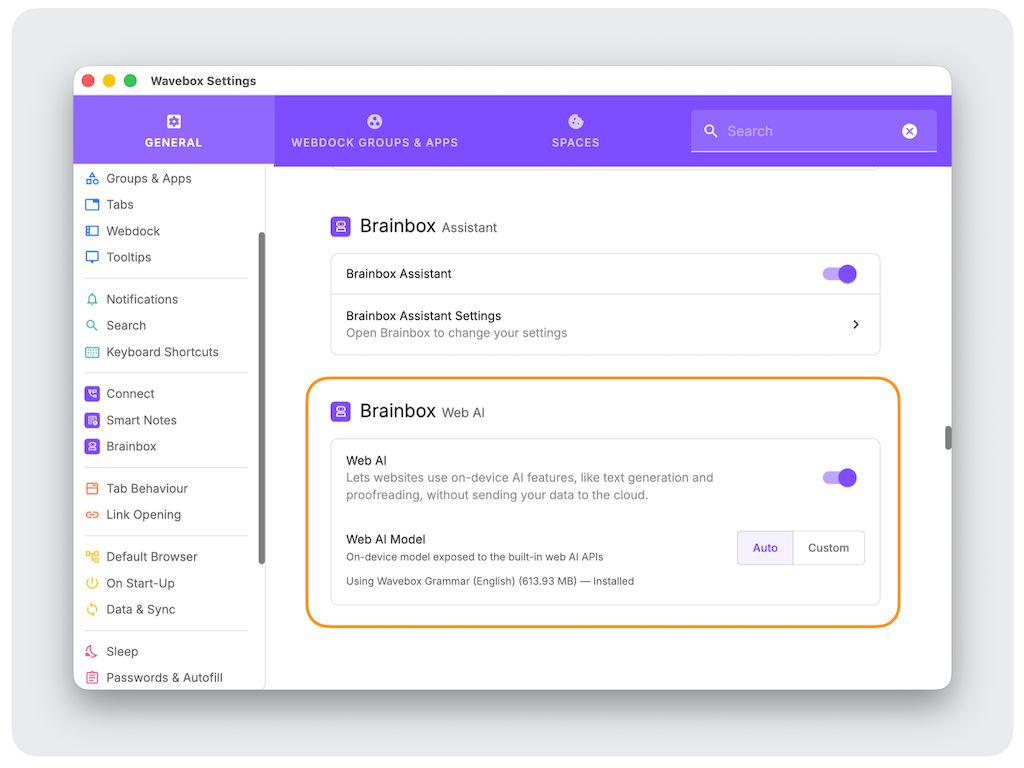
Not everyone wants their AI running in someone else's data center, and not everyone wants to pay for a model twice. We added two options in early July so you can decide where the AI runs and whose it is.
On-device private AI
AI models can run locally on your computer for websites that request it, and Wavebox now supports these newer capabilities. Using smaller, installed local models means your data never leaves your computer, and it doesn't use any tokens.
- Pop out the Brainbox panel and select the On-Device model from the dropdown to try it.
Your own models
If you already pay for an OpenAI or Anthropic plan you can paste your key into Wavebox and the browser's AI features run on it.
- Pop out the Brainbox panel and click the Settings cog (top right), then select the 'API Key' tab and add your details.
💬 On-page grammar assistant
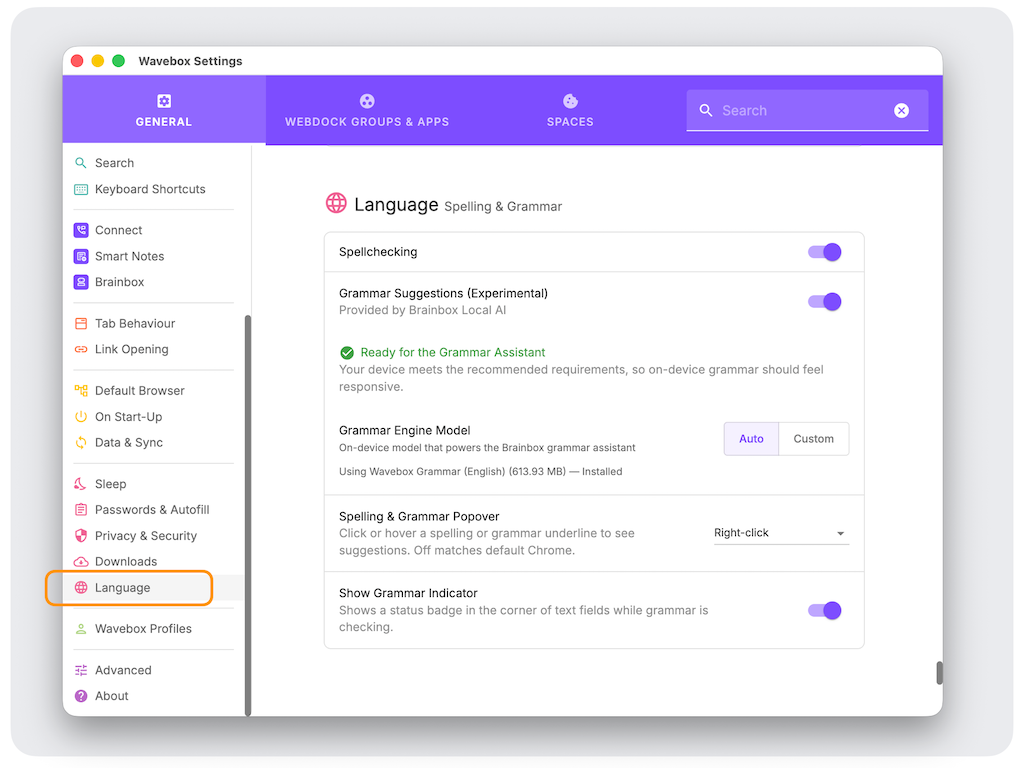
Most grammar tools run as browser extensions. Many require a subscription, and a copy of everything you type is usually sent to the cloud. Wavebox now has its own built-in spelling and grammar checker that runs entirely on your device. Zero cost and totally private.
- It's turned off by default. Switch it on under Settings > Language.
- Inline underlines as you write, with a click-to-fix popover.
- A status indicator, plus a Check grammar option in the right-click menu.
- Faster as of July 8th, with a 'Help us improve' option on any suggestion that misses.
- Learn more.
🗂️ Tab groups in the main window
Tab Groups have been in secondary windows for a while, but now you can use them in the main window Group tabstrip. They work the same way as in Chrome: right-click a tab and select 'Add to Tab Group'.
Other tab improvements:
- Grouped tabs survive a restart, the same way pinned tabs do.
- A right-click menu that's fully multi-select aware: close, reload, mute, pin, sleep, move and group all apply to every tab you've selected.
- Faster bulk sleep, wake and move.
🪟 Detach a group into its own window
If you work across multiple monitors, you may already pop out apps from the main window to place on a second or third monitor. Now you can pop out all the apps in a Group in one click.
- Right-click a Group and select 'Move apps to a new window'.
- All the apps open in the same window as pinned tabs, keeping their app icons.
- One click brings them all back.
- Detached apps stay detached after a restart, so the arrangement holds.
💡 More languages have arrived
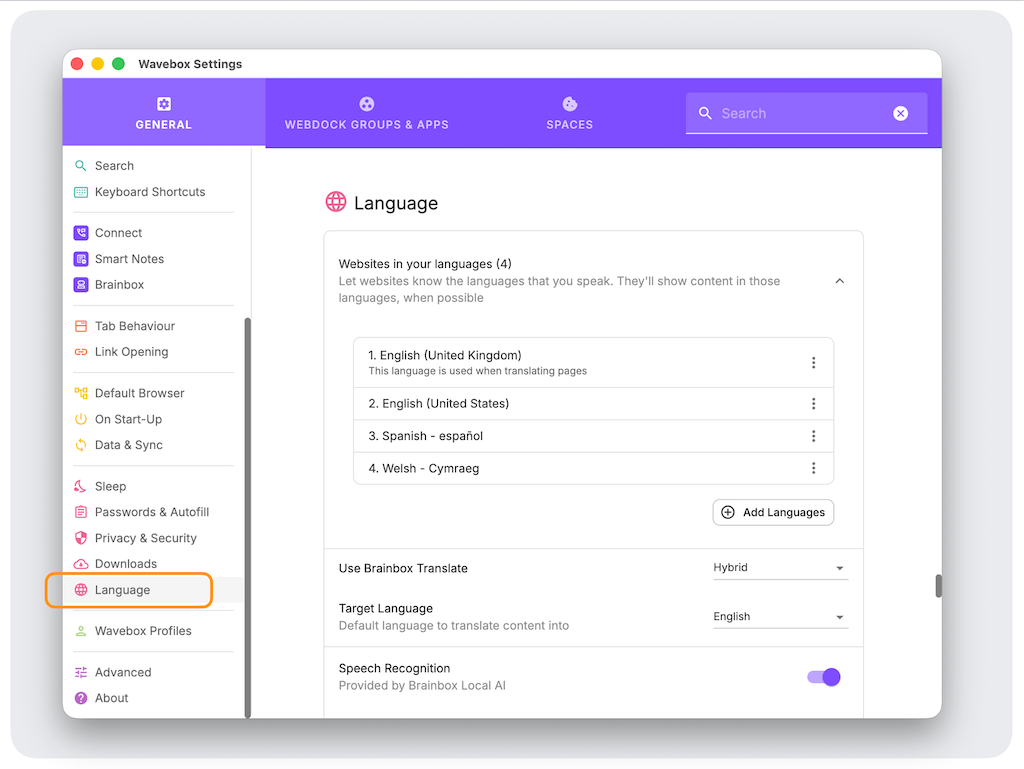
We've been adding more languages to Wavebox, and you can manage them in Settings > Language, including Spanish, German, Japanese, Korean, Czech and Welsh. The interface picker is Windows-first for now, so this one is still in progress.
- Add, remove and reorder your preferred languages.
- Per-language translate offers.
- A browser-interface language picker on Windows.
- Learn more.
💬 Wavebox Connect is now native
Connect, our one-click chat/video/screenshare service for Teams, used to run alongside Wavebox rather than inside it, which impacted performance at times. It's now been rebuilt to run natively, making it faster and smoother.
- Calls are faster to start.
- Smoother, more reliable calls, notifications and messaging.
- It remembers your last active Team across restarts, so you come back online in the right team after launch.
📌 Other additions worth a look 👀
- Lock an app to its domain (9 Jun): navigations that try to leave the app stay in the browser.
- Per-space proxy supports PAC file URLs (17 Jun), alongside fixed-server addresses.
- Set a file:// address as your new tab page (8 Jul).
- Search and keyboard navigation in the "Open in app or webdock group" picker (6 Jul).
- Ctrl or middle-click a bookmark opens it in a new tab in the same Space (3 Jun).
- Quicker webdock layout switcher in the context menu (20 May).
- "Add group" option on the webdock divider context menu (6 May).
🏎️ Under the hood
Speed and polish:
- Cross-process messaging is about twice as fast.
- Material UI upgraded to v9, for a more consistent look across settings and dialogs.
- New advanced settings to reduce GPU memory usage on some setups.
- Tab groups render correctly as pills, drag-and-drop lands where you expect, and joining tabs is a single step.
Reliability:
- Better Outlook sign-in when you have multiple Microsoft accounts.
- Slack notification emoji handle extended codes and skin-tone variants.
- AppImage builds run on newer Linux distros like Fedora 44.
- Windows restore reliably when one lands off-screen or on a disconnected display.
- Cross-device tab restore holds up if the sync connection drops.
- Diagnostics flag data-integrity issues for your apps and can include store data in a report.
That's the last few months! The Brainbox redesign and Wavebox Assistant tool calling are the ones to open Wavebox for today, but the tab group and Connect work are the kind of changes that quietly make a normal working day better. 💖🚀
 Thomas Beverley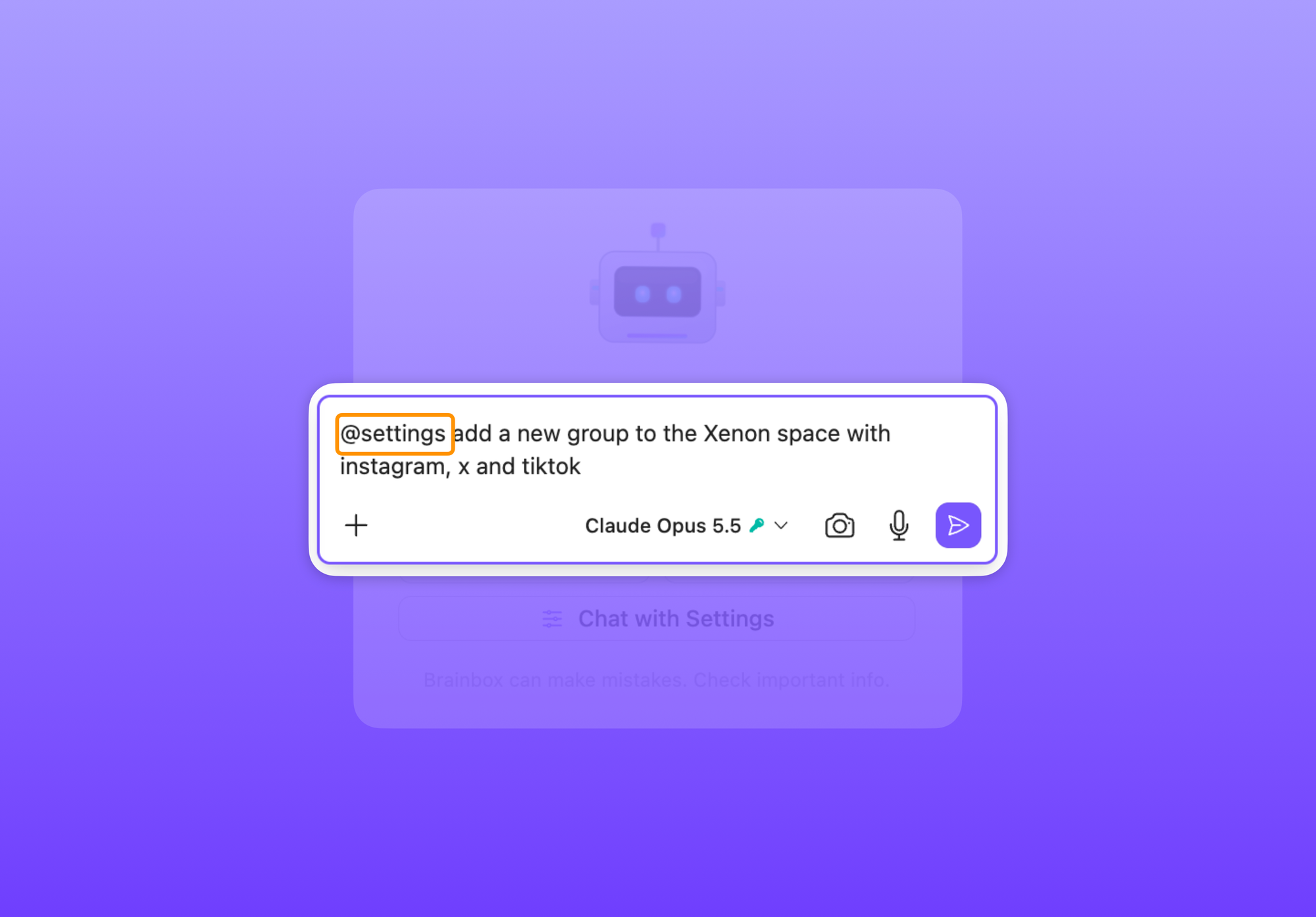
 Susan Davies
 Thomas Beverley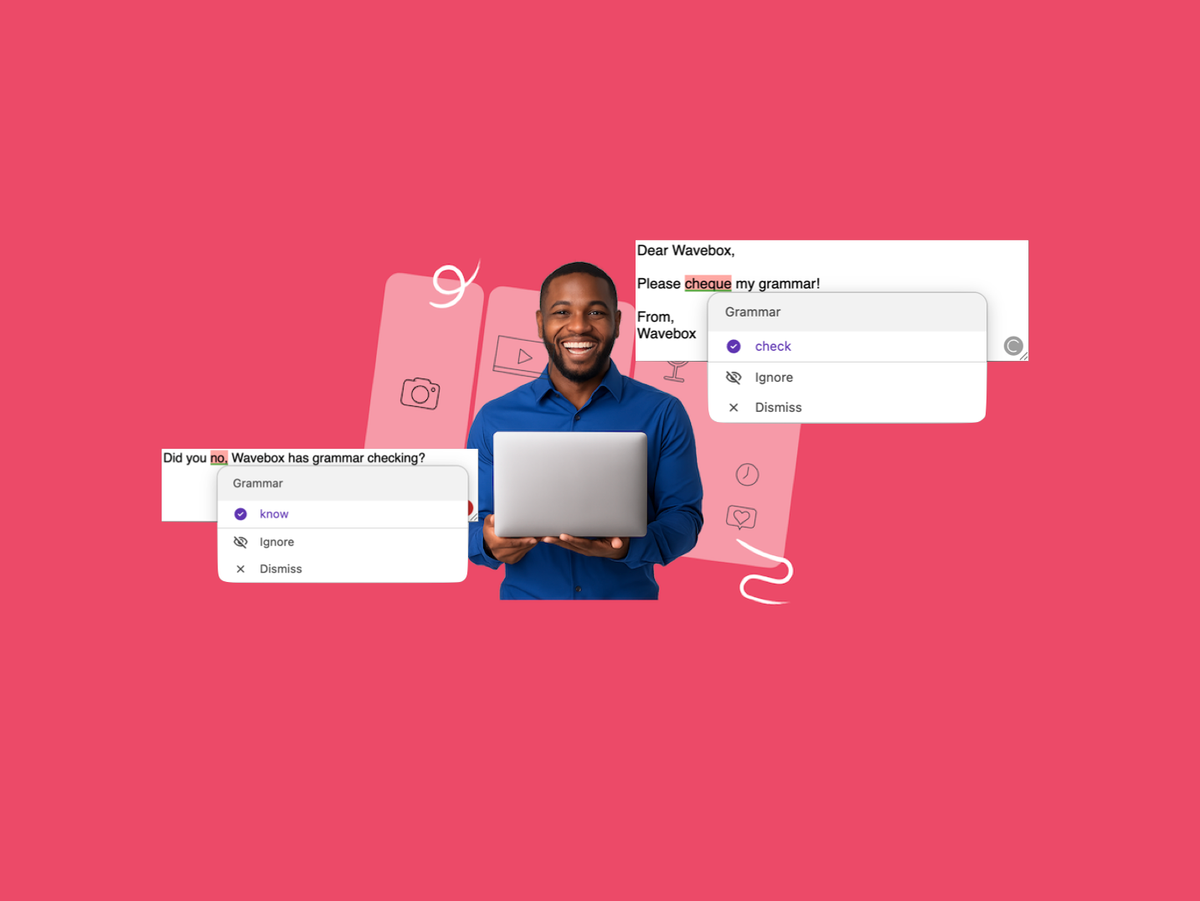
 Susan Davies