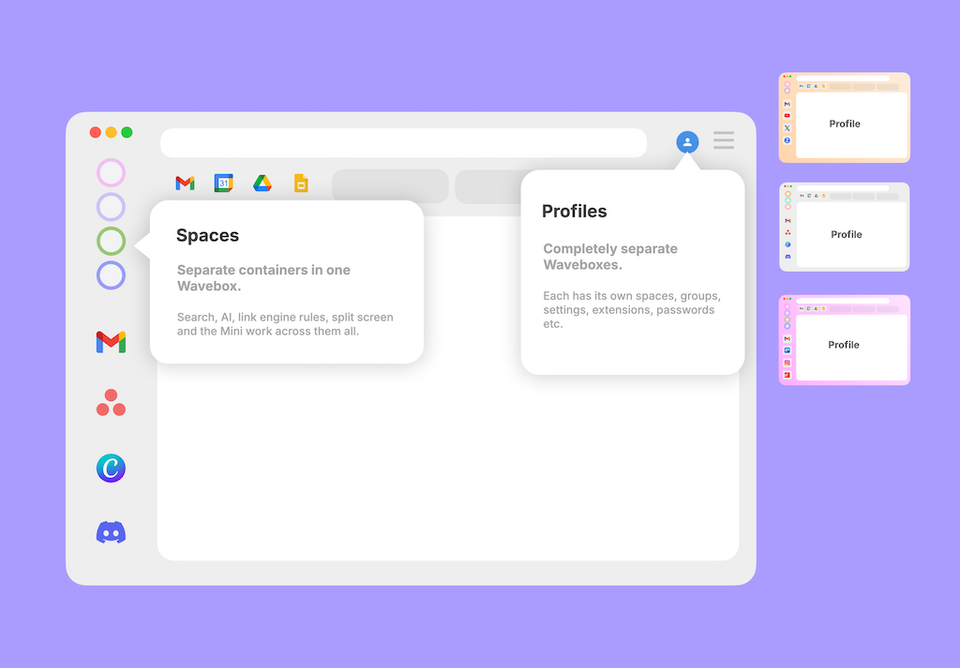
Spaces vs Profiles: Which One Should You Choose? Both keep things separate, but differently. Spaces are drawers in one filing cabinet; a Profile is a whole second cabinet. When to reach for each.
What's the Difference Between Snapshots, Profile Sync, and Wavebox Live (Teams)? Three features, three jobs: Snapshots back you up, Profile Sync follows you to your other computers, and Wavebox Live is your team's shared setup.
📸 Changed something by mistake? Use Snapshots to restore your Wavebox setup. Restore your Wavebox setup to a previous version with Snapshots — automatic, timestamped backups you can revert to in a few clicks.
🤔 How Do I Set Up Wavebox for Someone Else? Learn when to use Wavebox Live Profiles for ongoing team control versus Profile Templates for one-time independent VA setups.
Profile Import & Export Export and import Wavebox profile configs to easily create local backups, transfer setups between devices, or share customized profiles securely.
Profile Snapshots Snapshots automatically back up your Wavebox profiles to the cloud, letting you restore groups, apps, tabs, bookmarks, and settings anytime.
😎 Rest Easy: How to Back Up and Restore Your Wavebox Setup. Whether you prefer live syncing, automated cloud backups, or local copies, Wavebox's restore tools have got you covered.