
Brainbox (Your Own AI Keys & Local Models)
Your Wavebox Pro subscription includes 1 million OpenAI tokens a month for you to use in our AI assistant Brainbox.
If you need more tokens, we suggest registering with OpenAI as a developer so you can generate a key that lets you use OpenAI tokens in Brainbox.
OpenAI, Anthropic or local Ollama models
Brainbox isn't limited to OpenAI. Your own keys unlock the engines marked with a key icon in the engine menu — currently GPT-6 Sol with an OpenAI key, and Claude Sonnet 5.5, Claude Haiku 4.5 and Claude Opus 5.5 with an Anthropic key. Anthropic keys are created at console.anthropic.com and go in the same settings panel as the OpenAI key below.
You can also connect models you run on your own computer with Ollama. Connected models — Ollama, OpenAI or Anthropic — can power Wavebox's web AI features too, so websites that ask the browser for AI use the models you choose. Local Ollama models keep everything on your machine and don't need a key at all.
And you don’t need a key at all for the free on-device model from Brainbox Local AI: choose it from the engine dropdown and it downloads the first time you use it, then runs entirely on your machine.
What is an OpenAI token key?
An OpenAI token key is a unique identifier that provides authorized access to OpenAI's API services. This token acts as a password that allows applications or users to interact with OpenAI's models and services programmatically. OpenAI will charge you directly for your of their API - Wavebox will not add additional costs to your use.
How to sign up for a developer account to generate an OpenAI token key.
To use an OpenAI API, developers typically need to sign up for a developer account on the OpenAI platform and obtain their token key. This process ensures that their applications can interact with OpenAI's services efficiently and securely.
Here's what to do:

- Start by going to https://openai.com/api/ and clicking on 'Start Building.'

- Click on 'Sign Up' in the top-right-hand corner.

- Follow the steps to create an account.

- Once logged in, click on 'Dashboard' in the top-right-hand corner.

- Next, click on 'API Keys'

- You will now need to verify your account with a phone number and set up a payment method. Click on the 'Start Verification' button to begin.
- Once verified, click on the 'Create new secret key' button under the heading 'Create an API key to access the OpenAI API'.
- Then copy the key to your clipboard.

- Back in Wavebox, click the sliders icon in the top right of the Brainbox panel to open the Brainbox Controls.
- Choose the API Keys tab.
- Paste your key into the OpenAI API Key field. Anthropic keys go in the field just below.
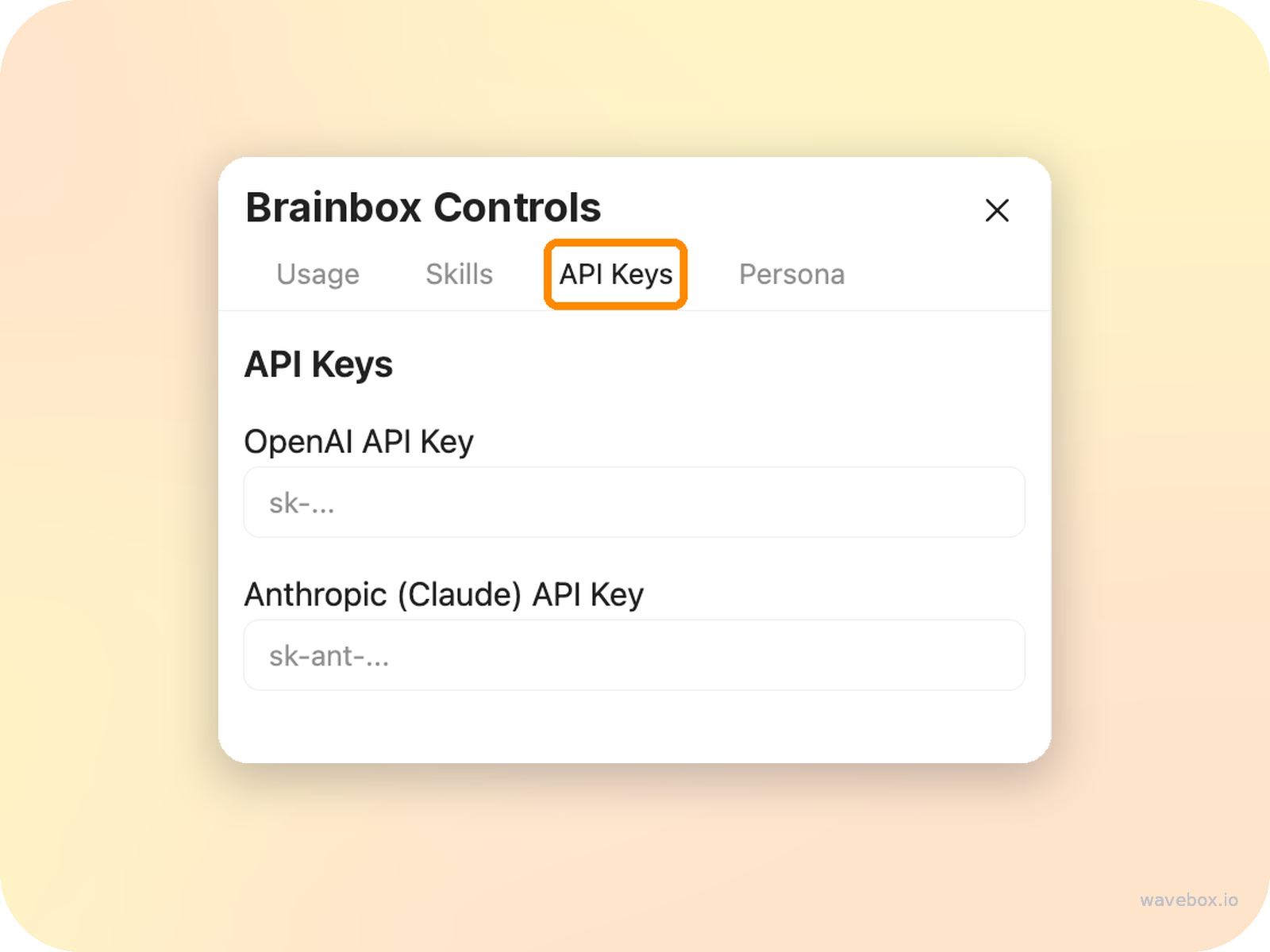
Another way in: your keys are also available in My Wavebox. Hover over the ⚙️ Settings cog in the bottom left, choose My Wavebox, and open the Brainbox section.