
Wavebox AI Assistant Now Available in Brainbox.
We’re excited to announce that our recently released Wavebox Assistant, a smart, in-app AI agent designed to help you get the most out of Wavebox, is now available from the Brainbox panel.
Whether you’re onboarding, troubleshooting, or seeking productivity tips, the Assistant is here to provide instant answers tailored to your questions about Wavebox.
What is the Wavebox Assistant?
The Wavebox Assistant is a focused AI agent, built on a compact engine that’s been trained exclusively using our knowledge base. That means every answer you get is accurate, relevant, and all about Wavebox, so you can solve queries, discover new features, and maximize your workflow with confidence.
Using the Assistant in the Brainbox Panel
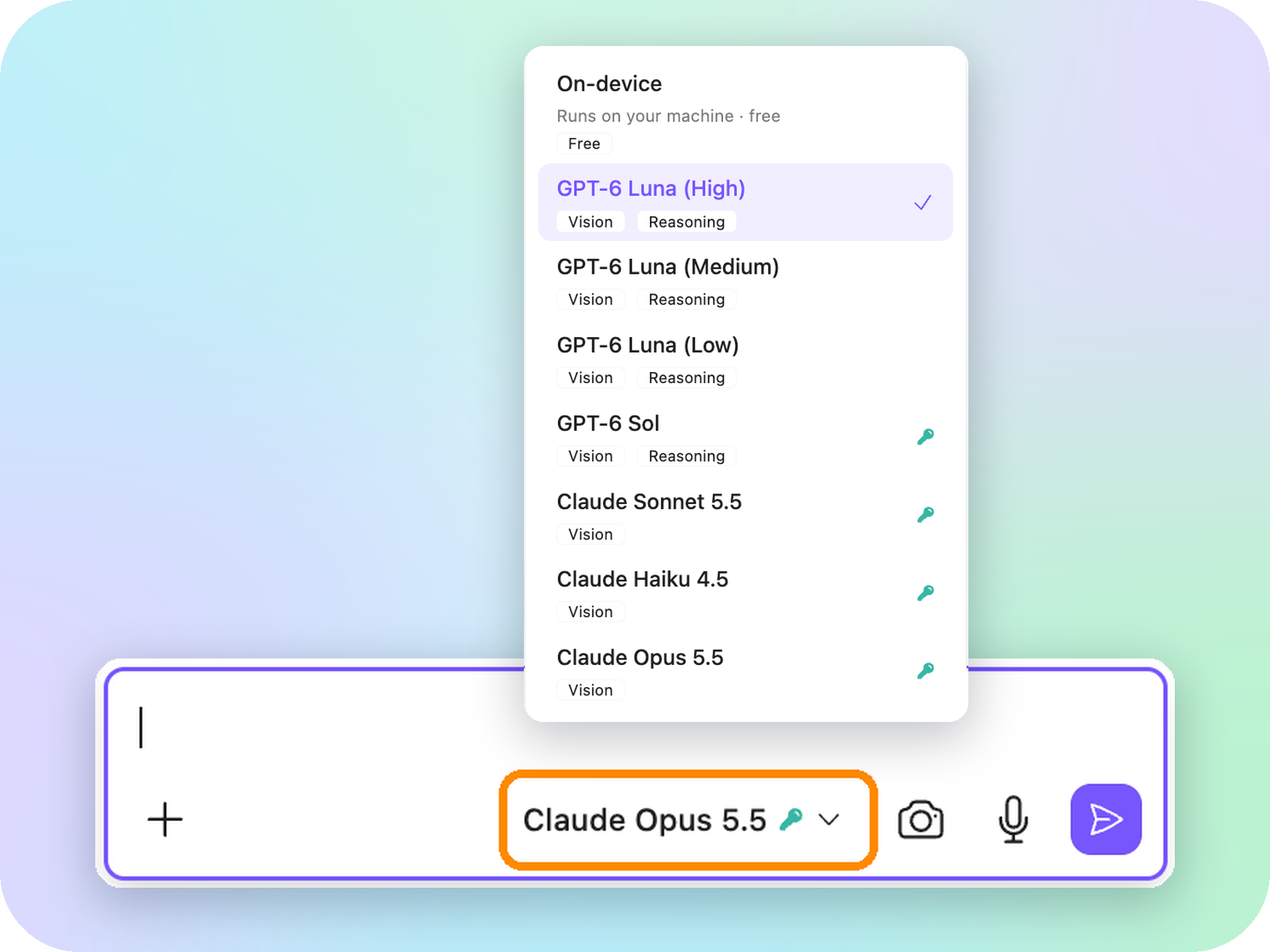
Getting started is easy! Here’s how you can launch the Assistant from within Wavebox:
- Click the Brainbox icon in the top toolbar to pop-out the panel
- At the top of the panel, select "Wavebox Assistant" from the engine dropdown menu
- Type your message in the chatbox at the bottom of the panel.
Launch from the Settings Cog:
- Hover over the Settings Cog in the bottom left corner of the app.
- Click on “Wavebox Assistant.”
- A pop-out window will appear, which you can move anywhere on your desktop for easy access.
These steps describe the May release. To open Chat with Settings today, see the update at the top of this post.
 Susan Davies

Getting the Most from Your Assistant
Our AI agent is dedicated exclusively to Wavebox topics, ensuring you receive the best possible guidance.
- Input: Type in any question, feature, or keyword related to Wavebox. The more specific, the better!
- Ongoing Chat: After your first question, you can continue the conversation and ask follow-up questions or request additional tips.
- Output: Replies are always Wavebox-specific. (Since September, Chat with Settings can also make changes for you.) Where relevant, answers include helpful links to Knowledge Base articles.
If the Assistant doesn’t know the answer to your question, it will let you know, and recommend contacting our human support team for further help.
Need More Help?
We’re committed to making your Wavebox experience smooth and enjoyable. If you ever get stuck or need more detailed support, don’t hesitate to reach out to us directly at support@wavebox.io.
 Susan Davies

 Susan Davies

 Susan Davies
