The Right-Click Menu in Wavebox gives you quick access to
Spaces Indicator Icon
Use it to see which Space you’re in at a glance and quickly switch tabs to different Spaces.
Webdock: Explorer Layout
Use a tree style layout with nested folders for apps and tabs.
Webdock: List Layout
List Layout unifies all your Groups and Apps from every Space into one scrollable sidebar for easy access, organization, and switching.
Drag and Drop
Effortlessly organize your Wavebox workspace by dragging and dropping groups, apps, tabs, files, widgets, and more—making customization and navigation fast and intuitive.
Webdock: Spaces Layout
Default layout for new users. Displays groups and apps for the selected Space only.
Webdock (Vertical Sidebar)
Enjoy quick access to all your spaces, groups, and apps with the webdock. The webdock is central to all Wavebox navigation.
Dividers
Dividers in Wavebox help visually organize your webdock and tabstrip—separating groups, collapsing sections, and reducing distractions for a tidier, focused workspace.
Split-Screen
UPDATED: Please visit Split View instead.
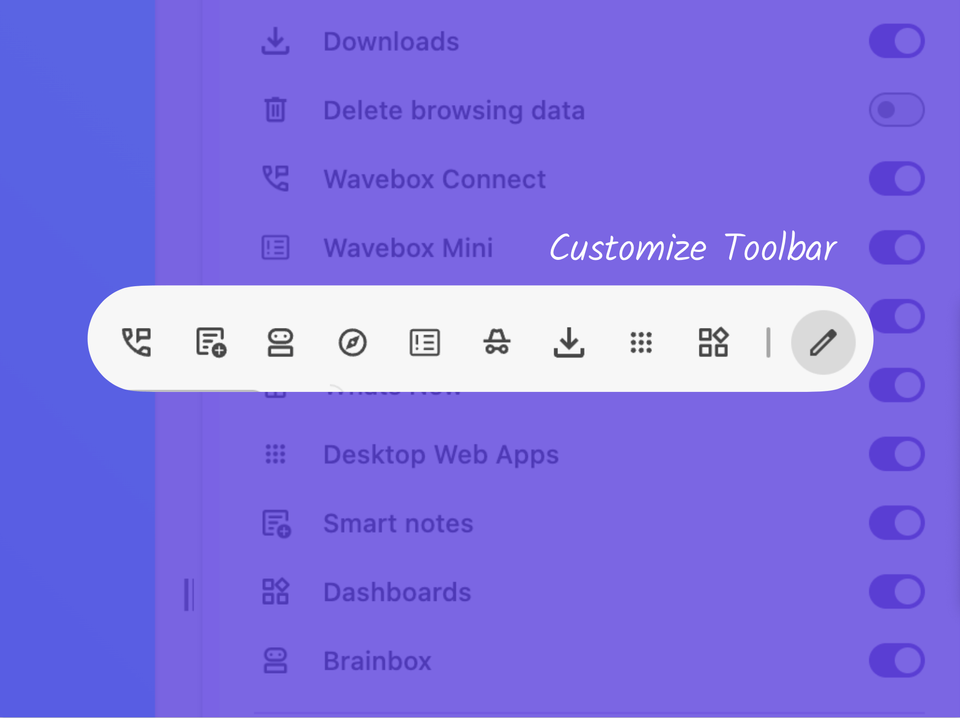
📌 Pin your Favorite Wavebox Features to the Toolbar.
Customize the toolbar with Connect, Extensions, Incognito, Brainbox, Smart Notes, Navigator and more.