
Profile Backup (Cloud)
💡
Replaced by Snapshots on January 15th 2026.
Profile Snapshots
Snapshots automatically back up your Wavebox profiles to the cloud, letting you restore groups, apps, tabs, bookmarks, and settings anytime.
 Susan Davies
View your Cloud Backups
- Go to Settings > General > My Wavebox
- Click on 'Profile Backups' in the My Wavebox sidebar
- You will see a list of all your cloud backups.
Manually Backup
- Click on Settings
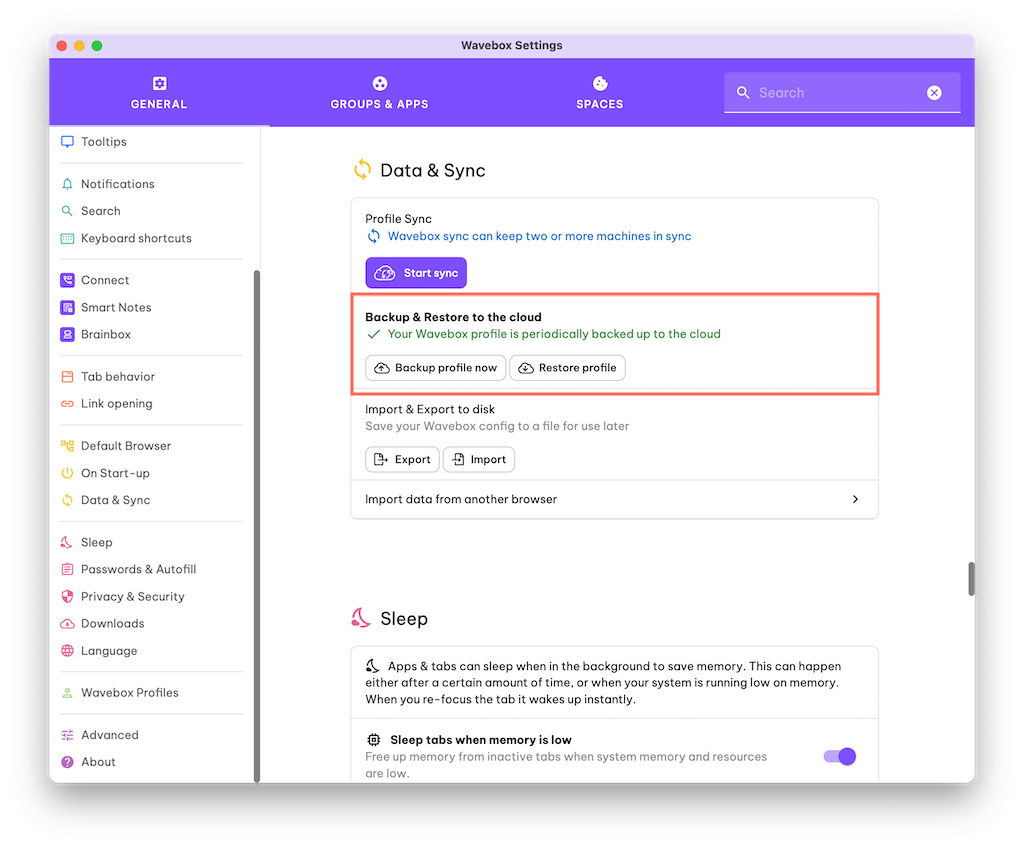
- Go to the Data & Sync section
- Look for the title 'Backup & Restore to the Cloud'
- Click the 'Backup profile now' button to start a manual backup.
Restore from a Backup
Either
- Click on the Profile Avatar top-right and click on 'Add'
- Give your Profile a name, and select 'Use Current Subscription'.
- Choose the option to 'Restore from Cloud'
- Choose a backup from the list.
Or
- Click on Settings
- Go to the Data & Sync section
- Click on 'Restore Profile'
- Select a backup from the list.
Deleting Old Backups
- Go to Settings > General > My Wavebox
- Click on 'Profile Backups' in the My Wavebox sidebar
- Find a backup in the list, and click on the red trash can icon.
Changing your Backup Preferences
- Go to Settings > General > My Wavebox
- Click on 'Security & Privacy' in the My Wavebox sidebar
- Look for 'Profile Sync' and backups to disable backups and sync.