🌟 New: Deep Sleep, Divider Tooltips & Smarter Search.
We've been quietly shipping genuinely useful tweaks in recent releases—the kind of small-but-mighty improvements that make your day just a little bit smoother. Here's what you might have missed.
🆕 Main Window Marker

Be honest: how many Wavebox windows do you have open right now? Three? Five? More than you'd care to admit?
The Window menu has always shown a list, but now we've added a simple marker so you can instantly spot which one is your main Wavebox window. No more playing "guess the window" when you need to get back to base.
📍Collection Widget Update
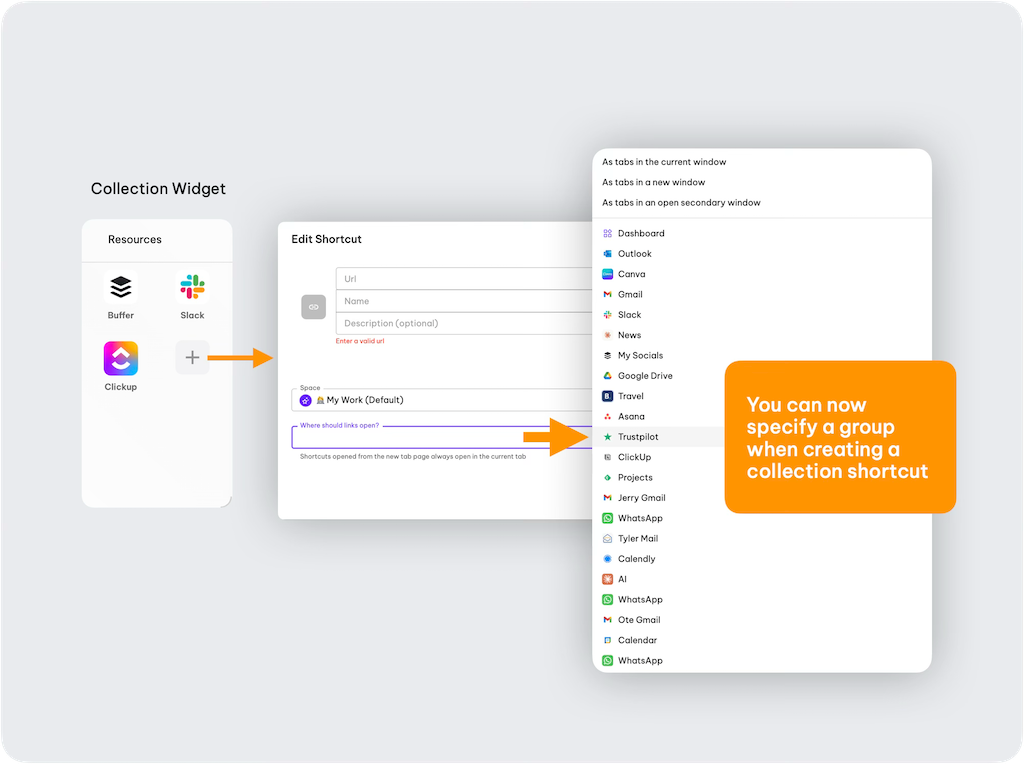
Collection widgets are perfect for pulling together all the web resources for a project or client into one launchpad. Here's the upgrade: when you add a URL shortcut, you can now specify exactly which Group the tab should open in. It's a small thing—until you realize you're no longer manually dragging tabs to where they belong.
🏎️ Performance Improvements
Wavebox is built to handle serious tab loads, but we're always pushing to do better. Two updates here:
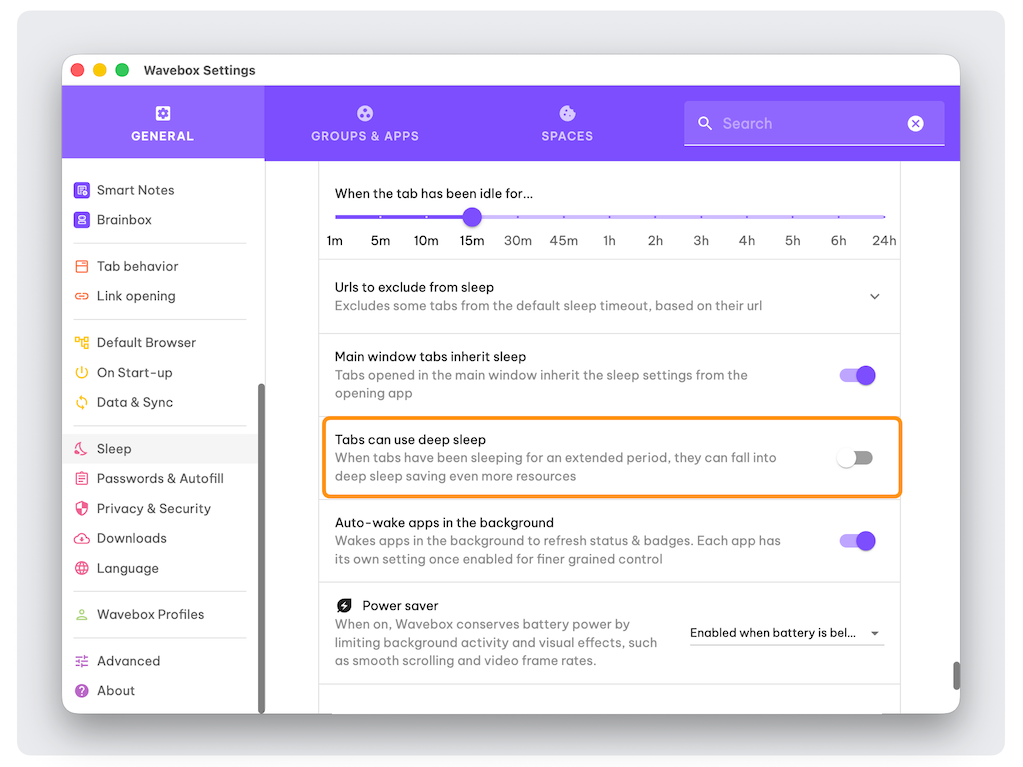
Deep Sleep mode takes our existing Sleep feature further. After an extended period of inactivity, tabs now drop into an even lower power state. If you're the type who keeps hundreds of tabs "just in case," your laptop fan will thank you. Enable it in Settings > General Tab > Sleep > Tabs Can Use Deep Sleep.
Heavy user optimizations for those of you running 800+ tabs per window (yes, we know you exist). We've made targeted improvements to keep things running smoothly at scale.
🔍 Search in Context Menus
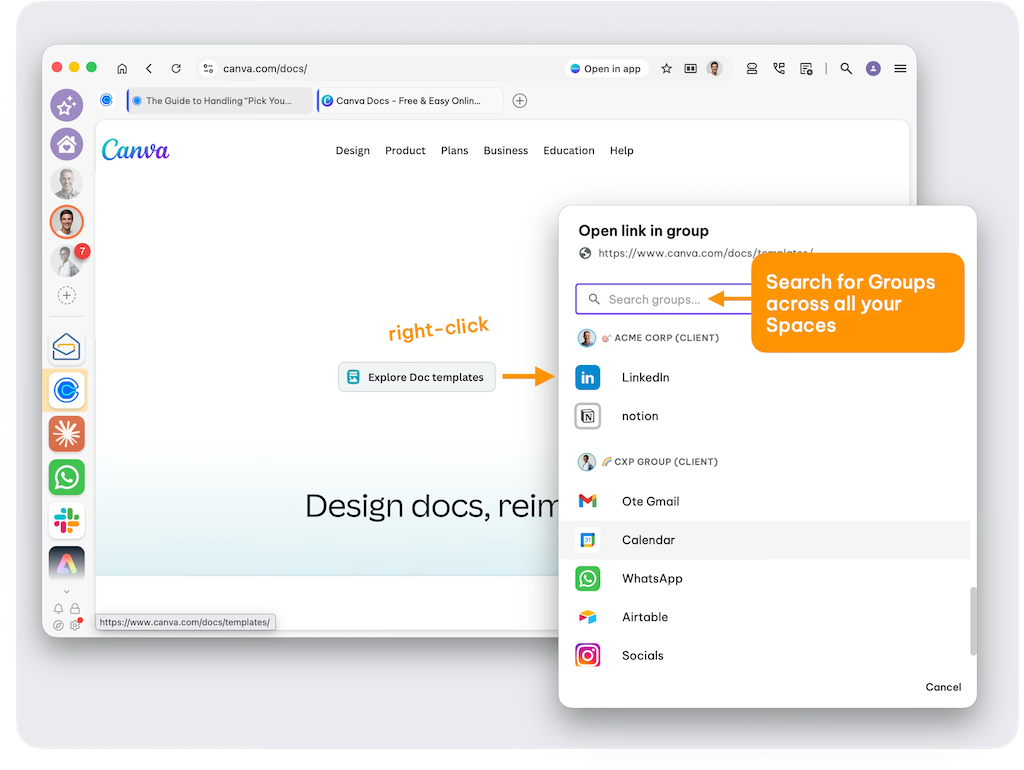
Right-click menus (context menus) in Wavebox are quietly powerful—customize icons, trigger Brainbox Skills, rename tabs. Now they're even better: when opening items via context menu, you can search for Spaces and Groups directly.
Try it: Right-click any link on a page, select "Open in Group," and you'll see the new searchable menu. We've also unified all Space/Group pickers across Wavebox with this same search capability.
↕️ Divider Tooltips

Webdock Dividers are one of those features that quietly make everything better. They let you separate and organize groups in the webdock, collapse sections to reduce visual clutter, and save precious screen real estate when you need it.
But there's always been one small friction point: if you collapsed a divider to tidy things up, you had to expand it again just to access a group inside. Not anymore.
Now, hover over any collapsed divider and you'll get a tooltip showing all the groups inside—click once to jump straight to the one you need. No expanding, no hunting, no extra steps.
🔍 Search Improvements
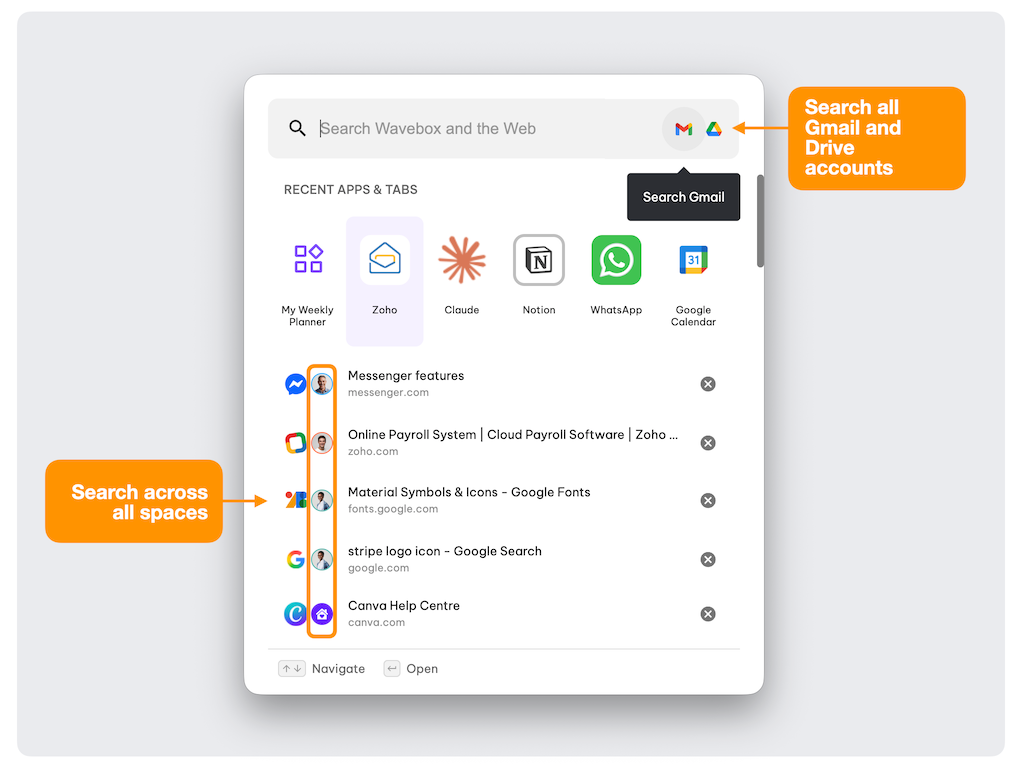
We've improved how search works across Wavebox—app store, tabs, you name it. Everything's faster and more accurate.
Here's a quick reminder of your options: Global Search (click the search icon top-right or hit Ctrl+S) lets you search everything, including across all your connected Gmail and Drive accounts. Drop a Search Widget on any dashboard for quick access. Or just type in the Address Bar to see results from your search engine, your Wavebox apps and tabs, and our store—all in one place.
Other Updates
- ClickUp integration now includes chat messages in the unread badge count, plus desktop notifications for chats.
- Keyboard shortcuts: Escape now closes the "Open link in Group/Space" dialogs, because sometimes you just change your mind.
That's a Wrap
These updates are already live, so if you're running the latest version of Wavebox, you're good to go. Got feedback or ideas for what we should tackle next? We're always listening—drop us a line at support@wavebox.io or add your request to our Supahub. Happy browsing! 🚀
 Susan Davies
 Susan Davies
 Susan Davies