
How to Cosymaxx Your Chaotic Digital World with Wavebox.

Ever feel like your browser is working against you instead of for you? You're not alone. In a world where we're constantly bombarded by notifications, drowning in tabs, and juggling multiple accounts, our digital spaces can feel just as stressful as a cluttered desk. But what if your browser could become a cozy sanctuary instead of a source of anxiety?
Enter the concept of cosymaxxing—and how Wavebox can help you create the ultimate comfortable digital environment.
What is Cosymaxxing?
Cosymaxxing is the intentional practice of creating spaces that foster feelings of calm, warmth, and safety. Think fuzzy blankets, warm lighting, and your favorite cup of tea—but for your digital life. It's about creating a space that feels warm and comfortable both physically and mentally, rejecting the chaos of hustle culture in favor of environments that let you breathe, focus, and actually enjoy your work.
While the trend started with physical spaces, there's no reason your browser can't get the same treatment. After all, if you're spending hours a day online, shouldn't that space feel good too?
The Problem: Browser Chaos is Real
Let's be honest—traditional browsers can be overwhelming:
😵💫 Tab overload. Fifty tabs open across three different Profile windows, and you can't remember which one has that important email!
🕵️♂️ Sign-in chaos. Constantly logging in and out of different accounts, opening incognito windows, and juggling profiles, or second browsers just to access another Gmail account.
🙈 Visual clutter. A messy toolbar, confusing bookmarks, and a workspace that feels more like a digital junk drawer than a calm productivity hub.
🙉 Notification overwhelm. Pings, dings, and red badges competing for your attention from every direction.
Sound familiar? This digital stress is the opposite of cozy—it's exhausting. But there is another way...
The Solution: Wavebox Makes Everything Better
Wavebox isn't just another browser. It's designed from the ground up to bring order, calm, and yes—coziness—to your chaotic digital world. More like a web productivity platform than a browser, here's how Wavebox can bring calm to the chaos.
1. Organize Your Digital Worlds
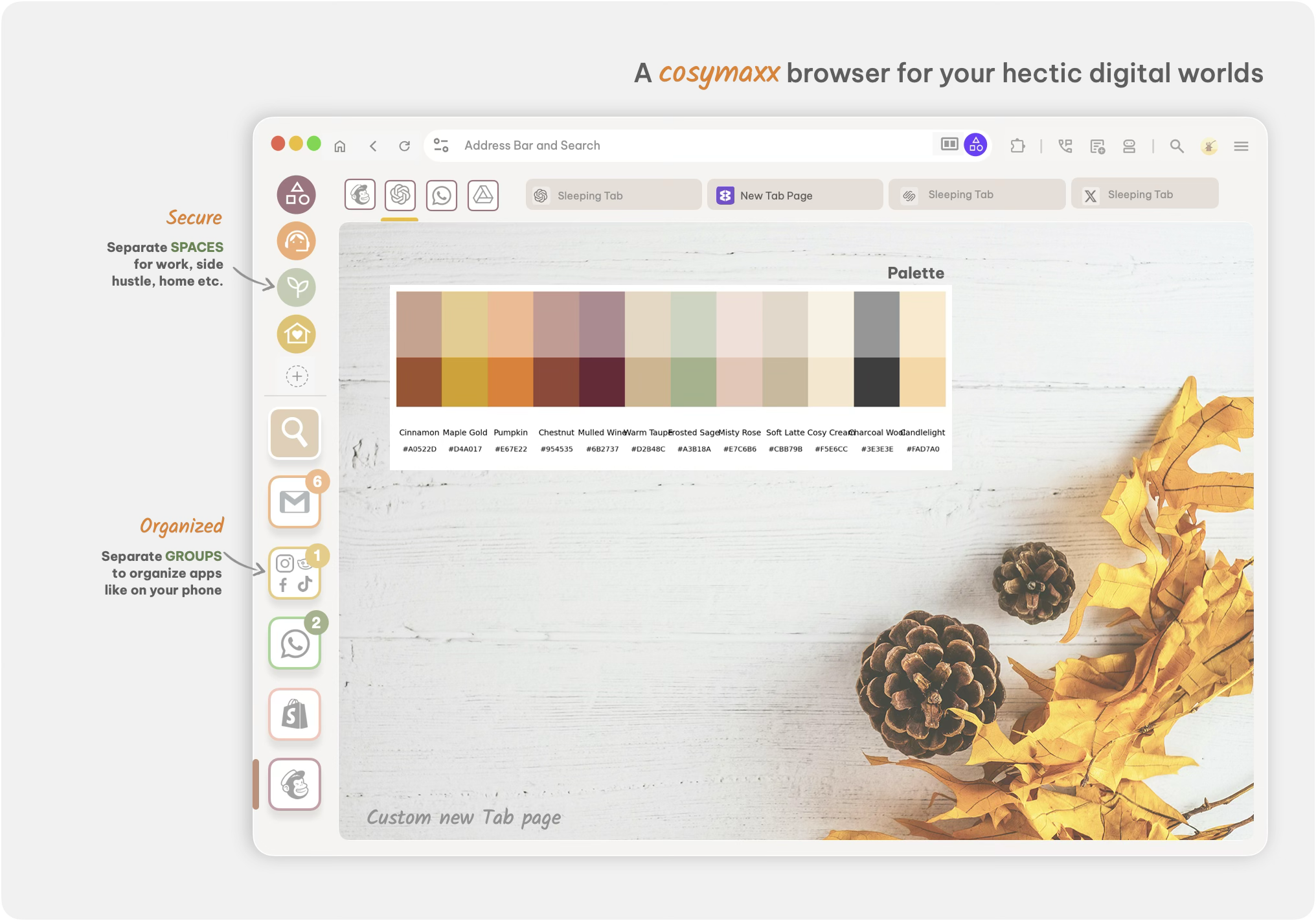
With Spaces, Groups, and Tabs, Wavebox lets you separate your life into neat, manageable containers:
- Spaces: Sometimes called "workspaces" when referring to browsers, Wavebox spaces keep different identities completely isolated (think Work, Home, Client A, Client B). You can stay signed into multiple accounts of the same service—two Gmail accounts, three Slack workspaces—without any confusion or constant switching.
- Groups: A way to organize your apps like you do on your phone. Create a group for your finances, another for your creative projects, or one for each client you work with. Each group has its own tab strip, so everything stays tidy and contextual.
- Apps: Your most-used tools, that are pinned and always accessible. They stay signed in, display unread badges, and live permanently in your groups for instant access.
🪷The Win: No more tab chaos. No more lost windows. Just calm, organized simplicity that makes sense at a glance.
2. Create Beautiful, Personal Spaces
Cosymaxxing isn't just about function—it's about feeling good. Wavebox lets you customize your browser to match your aesthetic:
- Custom icons and colors. Change the icons and colors for your groups and apps to create a visual system that feels uniquely yours. Want pastel colors for your creative work and bold colors for client projects? Done.
- Dashboard backgrounds. Add custom background images or gradients to your dashboards and new tab pages. Whether you prefer minimalist zen or vibrant inspiration, your browser can reflect your mood and style.
- Themes galore. You can add any Chrome theme to Wavebox, transforming your entire browsing experience to match your personal taste—from cozy dark modes to bright, energizing designs.
🪷The Win: When your browser looks good, it feels good. And when it feels good, you're more likely to stay focused and less likely to feel stressed.
3. Soothing Notification Sounds
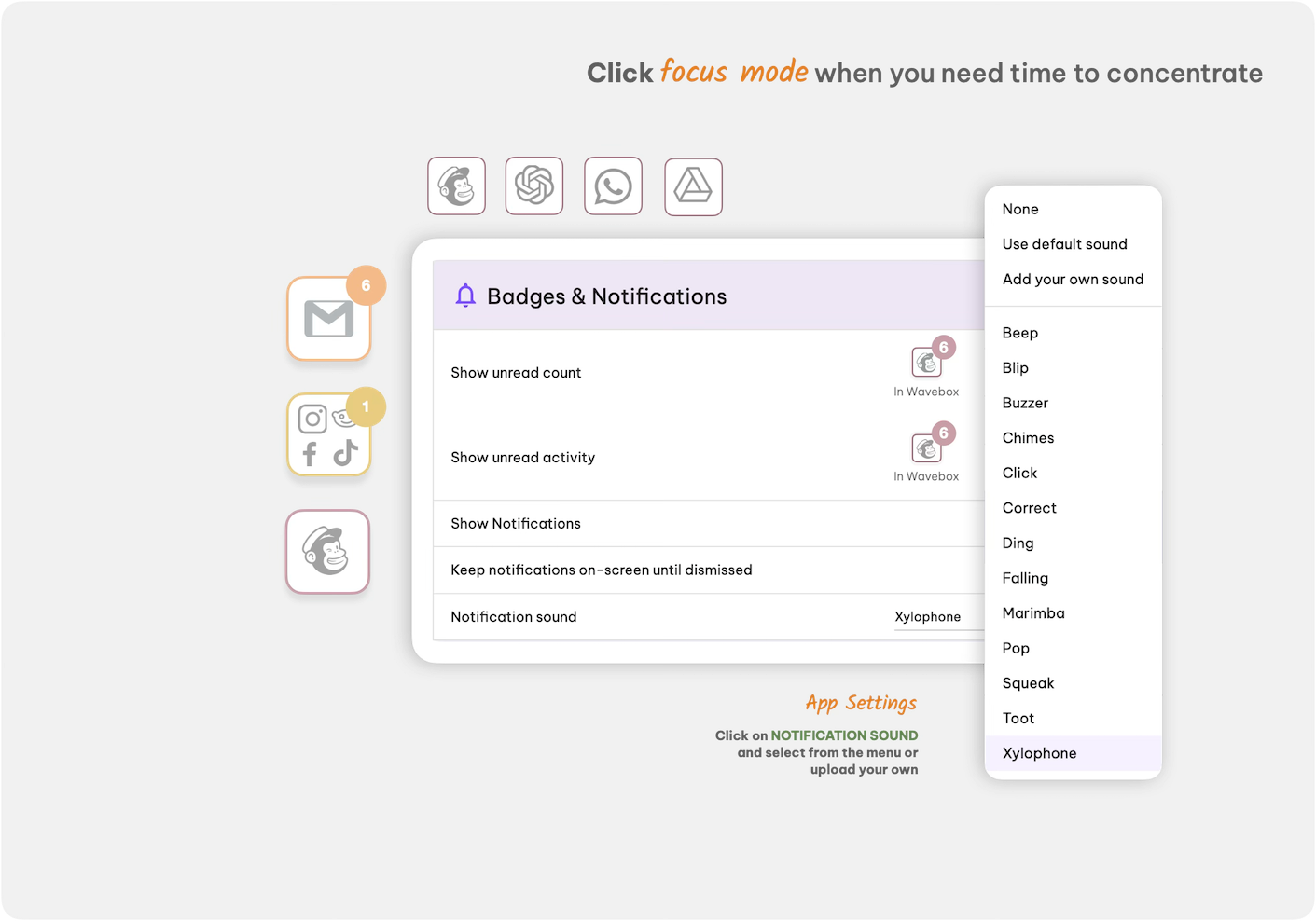
Here's a small detail that makes a big difference: custom notification sounds.
Instead of hearing the same generic "ding" for every notification, Wavebox lets you assign different sounds to different apps. A gentle "harp" for Gmail, a soothing "chime" for Slack—you'll instantly know what needs your attention without even looking at the screen.
🪷The Win: It's a tiny touch that adds personality to your workflow and helps you stay aware without feeling bombarded.
4. Focus Mode: Your Distraction-Free Sanctuary
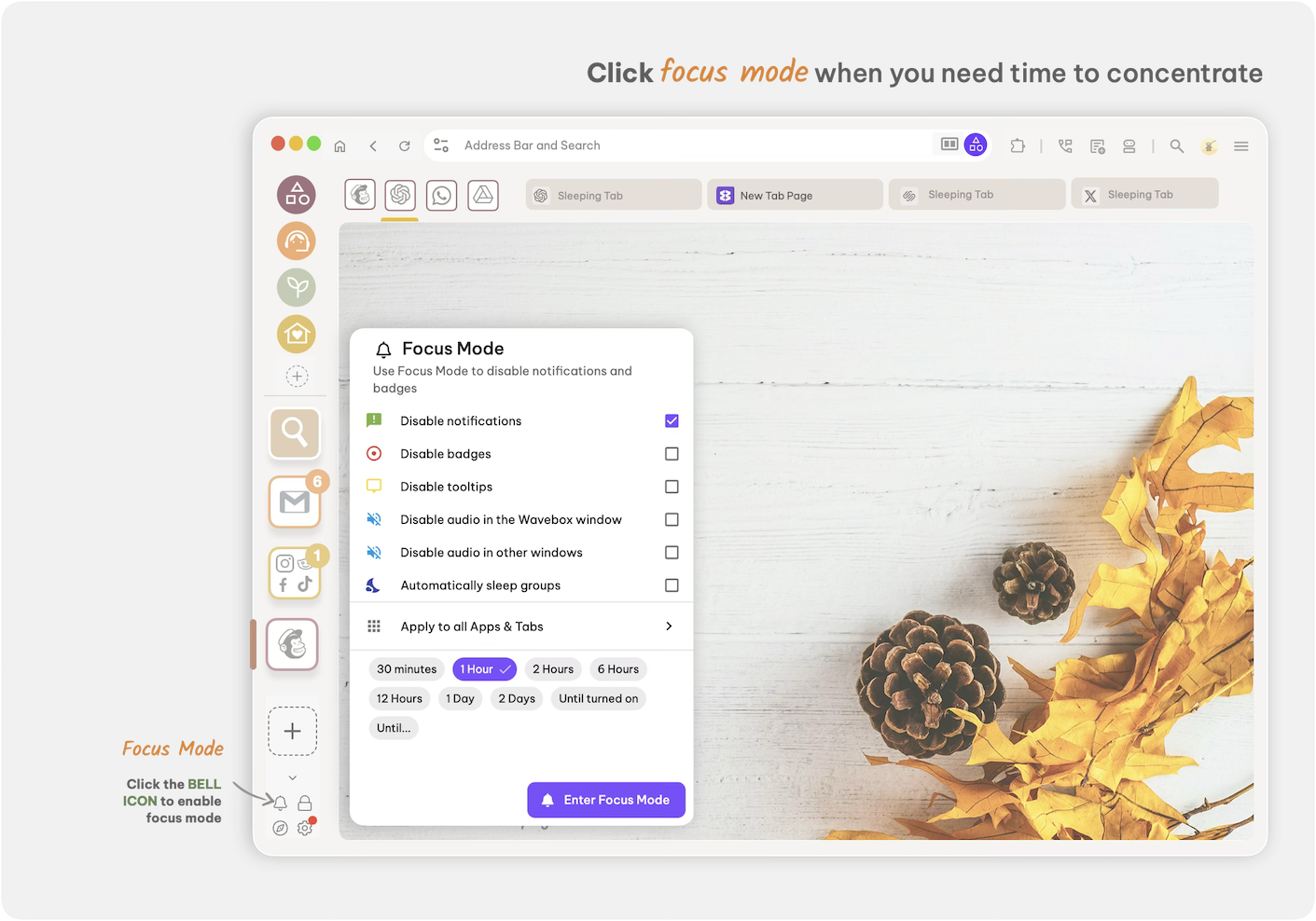
Sometimes, you need complete peace. That's where Focus Mode comes in.
Wavebox has Focus Mode built-in. With one click, you can temporarily mute notifications, hide unread badges, silence audio, and even put apps to sleep. You can apply Focus Mode to everything, or use custom Zones to mute only specific groups—like silencing social media during work hours while keeping client communications active.
Set a timer (30 minutes, 2 hours, a full day—you choose), and Wavebox handles the rest. No willpower required. Just pure, uninterrupted focus when you need it most.
🪷The Win: It's the digital equivalent of wrapping yourself in a cozy blanket and shutting out the world—but for your workflow.
The Bottom Line: A Browser That Works With You
Cosymaxxing isn't just a trend—it's a mindset shift toward creating environments that support your well-being. And in our always-online world, your browser deserves the same intentional comfort as your living room.
Wavebox transforms your chaotic digital world into a calm, organized, and genuinely pleasant space to work.
With customizable organization, beautiful aesthetics, delightful sounds, and powerful focus tools, it's the browser equivalent of that perfect cozy corner where you can finally relax and get things done.
Ready to cosymaxx your digital life? Give Wavebox a try. Your future, calmer self will thank you.
Transform your browser into a productivity sanctuary. Try Wavebox today and discover what it feels like when technology works for you, not against you.